Size charts on the right products, automatically.
Snug matches charts to your catalog by product, tag, collection, vendor, type, or variant option — so shoppers always see the sizing that fits what they're looking at.
Men's tops
×| Size | Chest | Length |
|---|---|---|
| S | 88.9–94 | 71.1 |
| M | 96.5–101.6 | 73.7 |
| L | 104.1–109.2 | 76.2 |
| XL | 111.8–116.8 | 78.7 |
Measure around the fullest part of your chest, keeping the tape level.
Everything a sizing table should do
Built for real catalogs — from a five-product shop to a store with hundreds of SKUs.
Charts follow the fit
A variant-option rule swaps the chart automatically when a shopper changes the option — Relaxed vs. Slim shows the right numbers before add-to-cart.
US / EU / JP in one chart
Group columns into size systems and let shoppers switch between them, without building three separate charts.
Inches or centimeters
Every measurement converts on the fly. Turn the switch off for charts that shouldn't convert, like shoe or ring sizes.
Overlap detection while you edit
As you build a chart, Snug highlights any size range that overlaps another, so you can fix conflicting measurements before they reach a shopper.
Import from a spreadsheet
Paste straight from Google Sheets or Excel, or upload a CSV. The first row becomes your columns.
Accessible & backed up
Charts render as real, screen-reader-friendly tables. Download a backup any time and restore in one click.
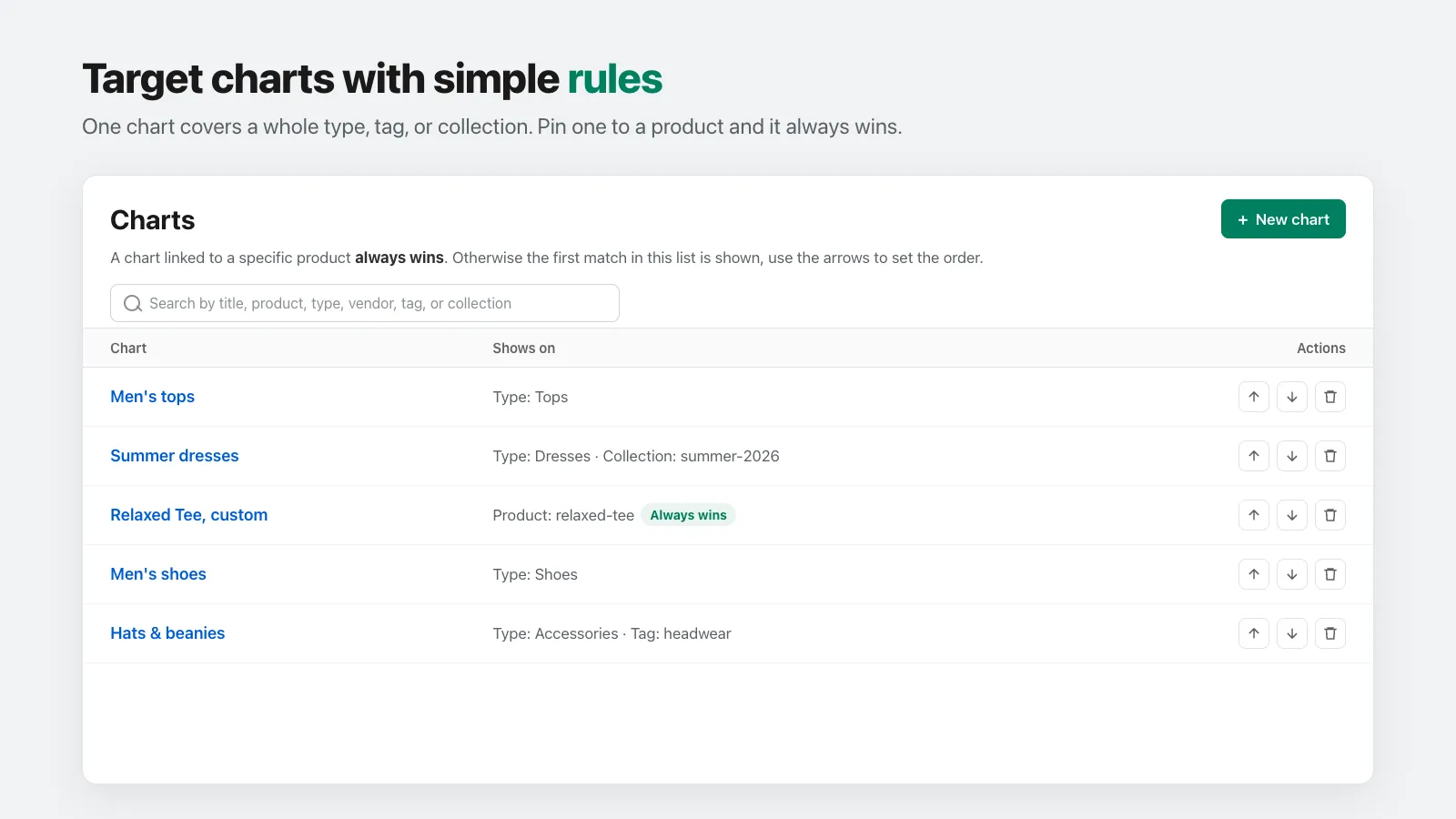
01
One rule covers a whole catalog
Point a chart at a product type, tag, vendor, or collection and it shows everywhere that matches. Pin one to a single product and it always wins.
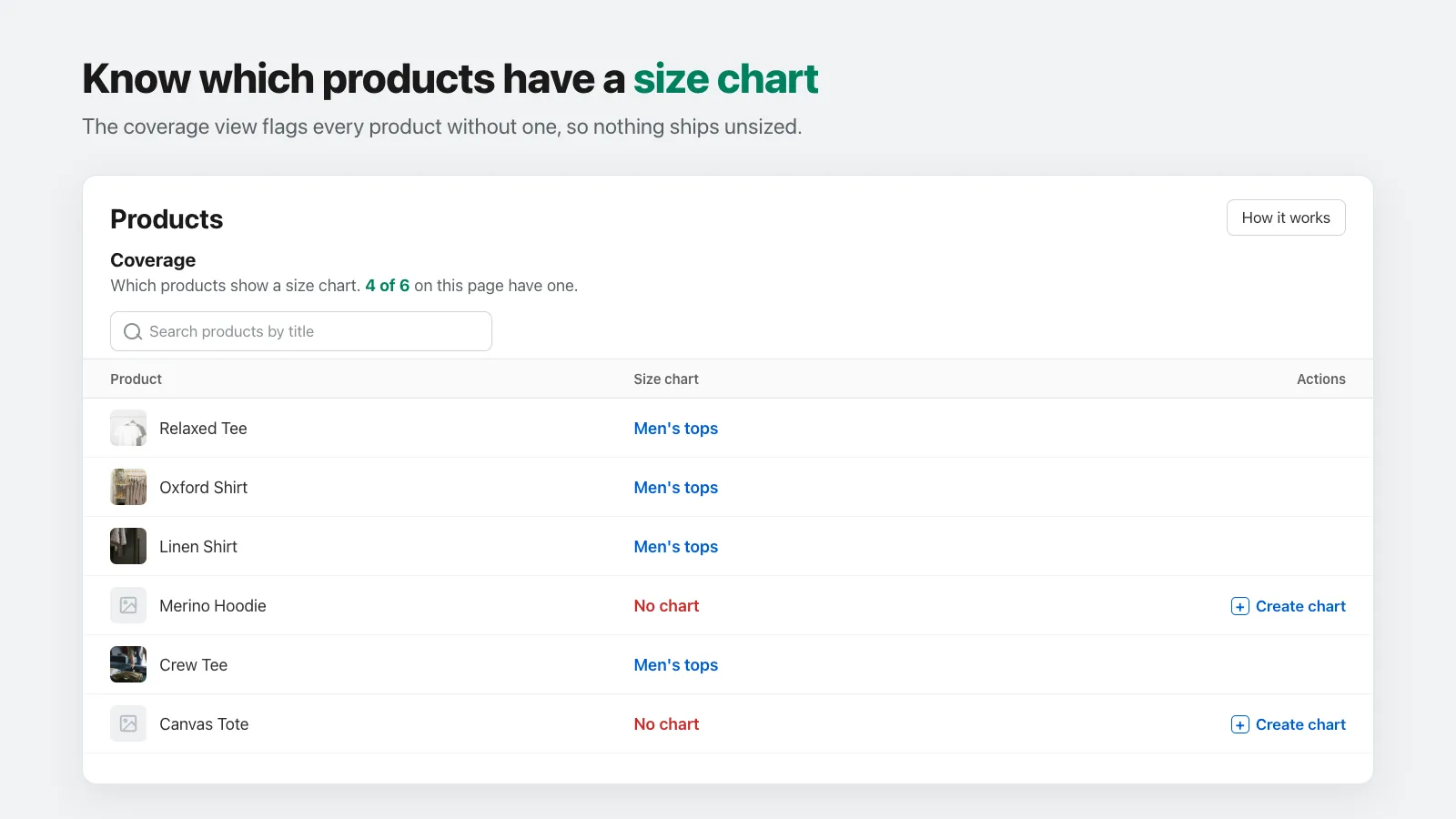
02
Never ship a product unsized
The coverage view flags every product without a chart and shows how the rest are matched — at a glance, even across hundreds of products.
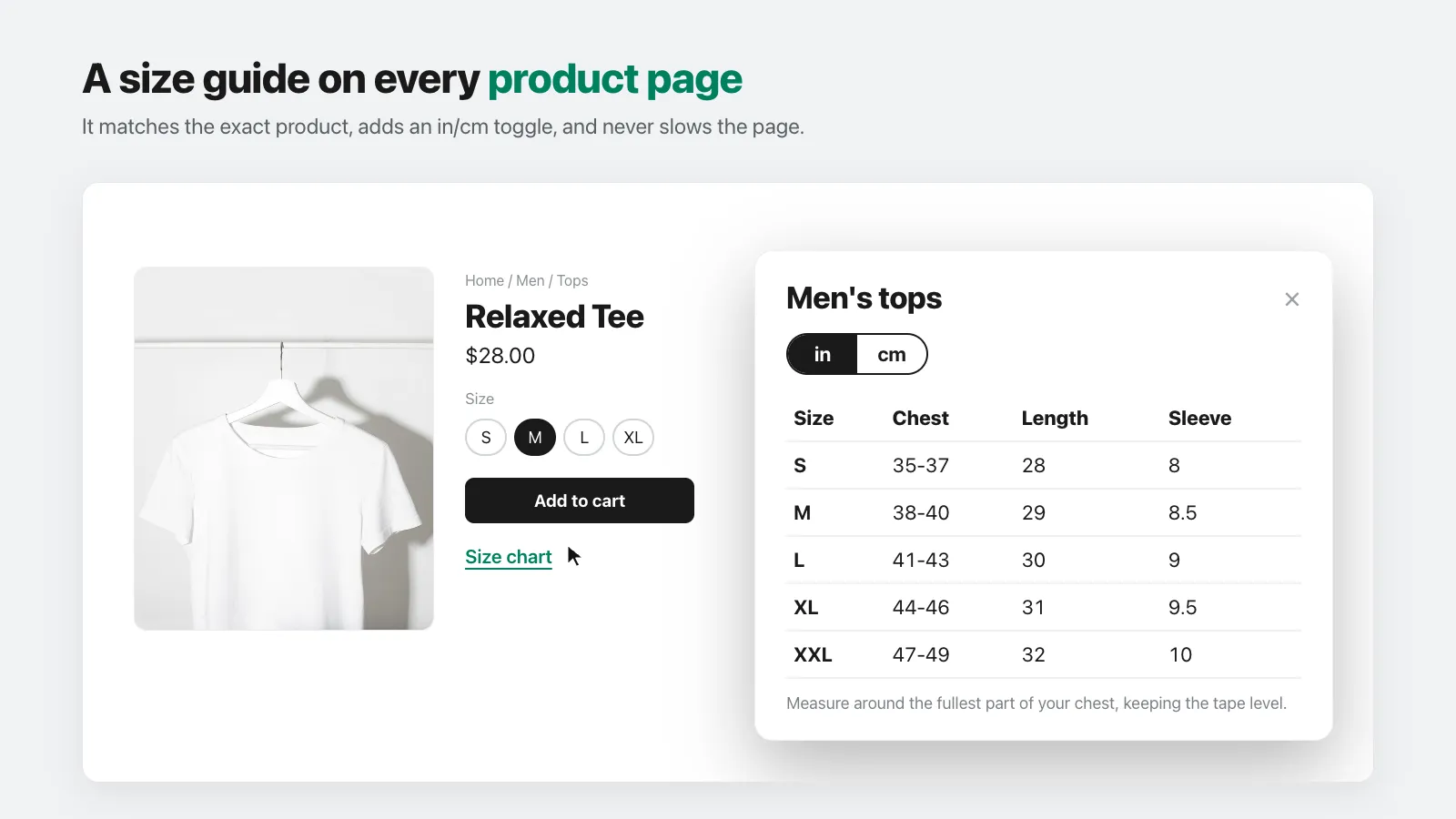
03
A polished size guide on every product page
Snug matches the exact product, adds an inches/centimeters toggle, and renders instantly without slowing the page.
How it works
01
Build a chart
Start from a template or paste your sizes. Edit cells inline.
Show on products
02
Add a rule
Pick which products it shows on — by tag, type, collection, and more.
Theme · Product page
Added to your theme · do this once
03
Add the block once
Drop the Size chart block into your theme. It only appears where a chart matches.
Add Snug to your store
One size chart app that fits your whole catalog. Set it up once, and it keeps up as you add products.