Everything you need to set up Snug
A quick walkthrough, then answers to the questions merchants ask most.
Quick start
Four steps from install to a live size chart.
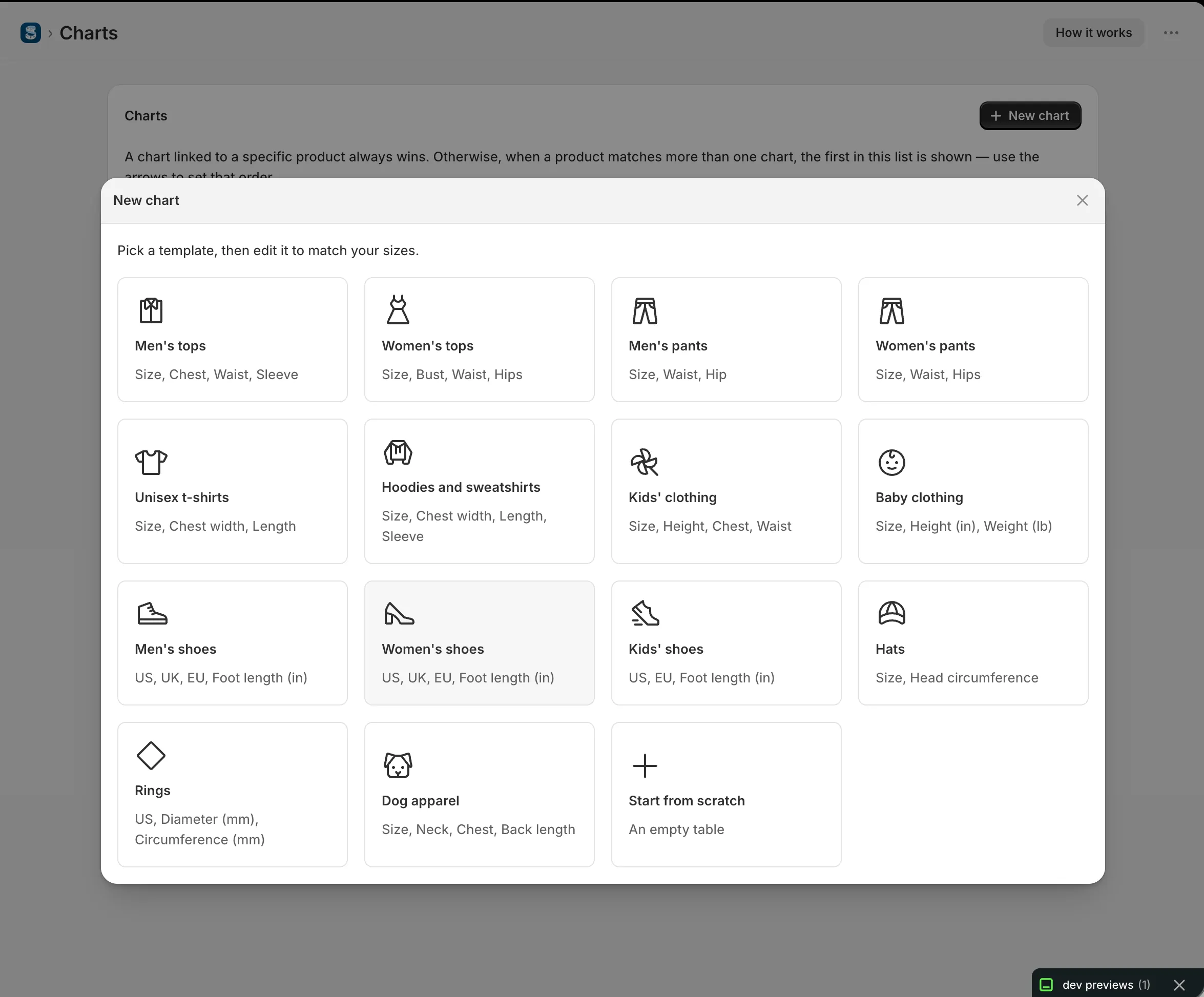
Pick a template
Click New chart and choose a template, or start from scratch.
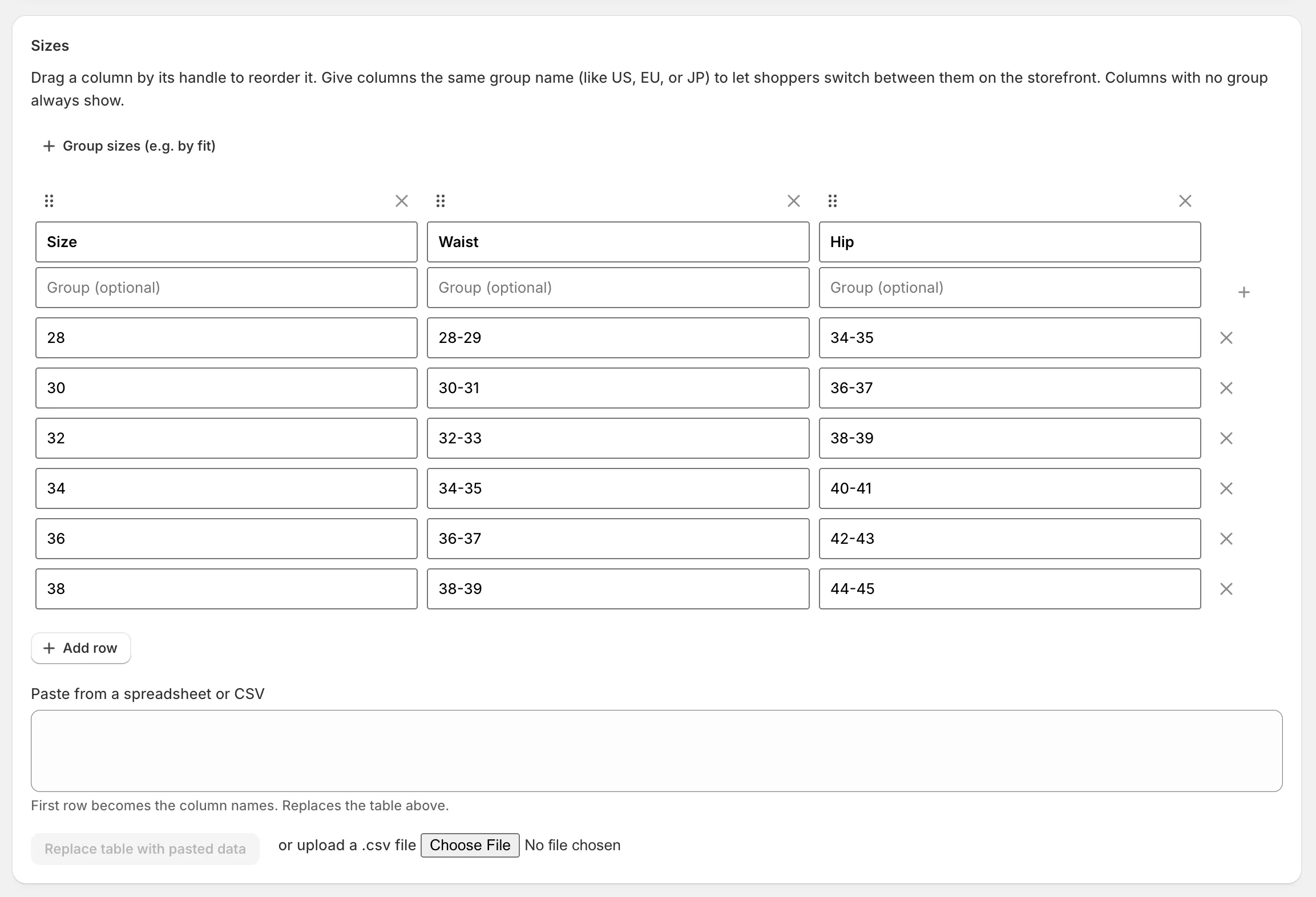
Edit your sizes
Adjust the table to match your products, or paste straight from a spreadsheet.
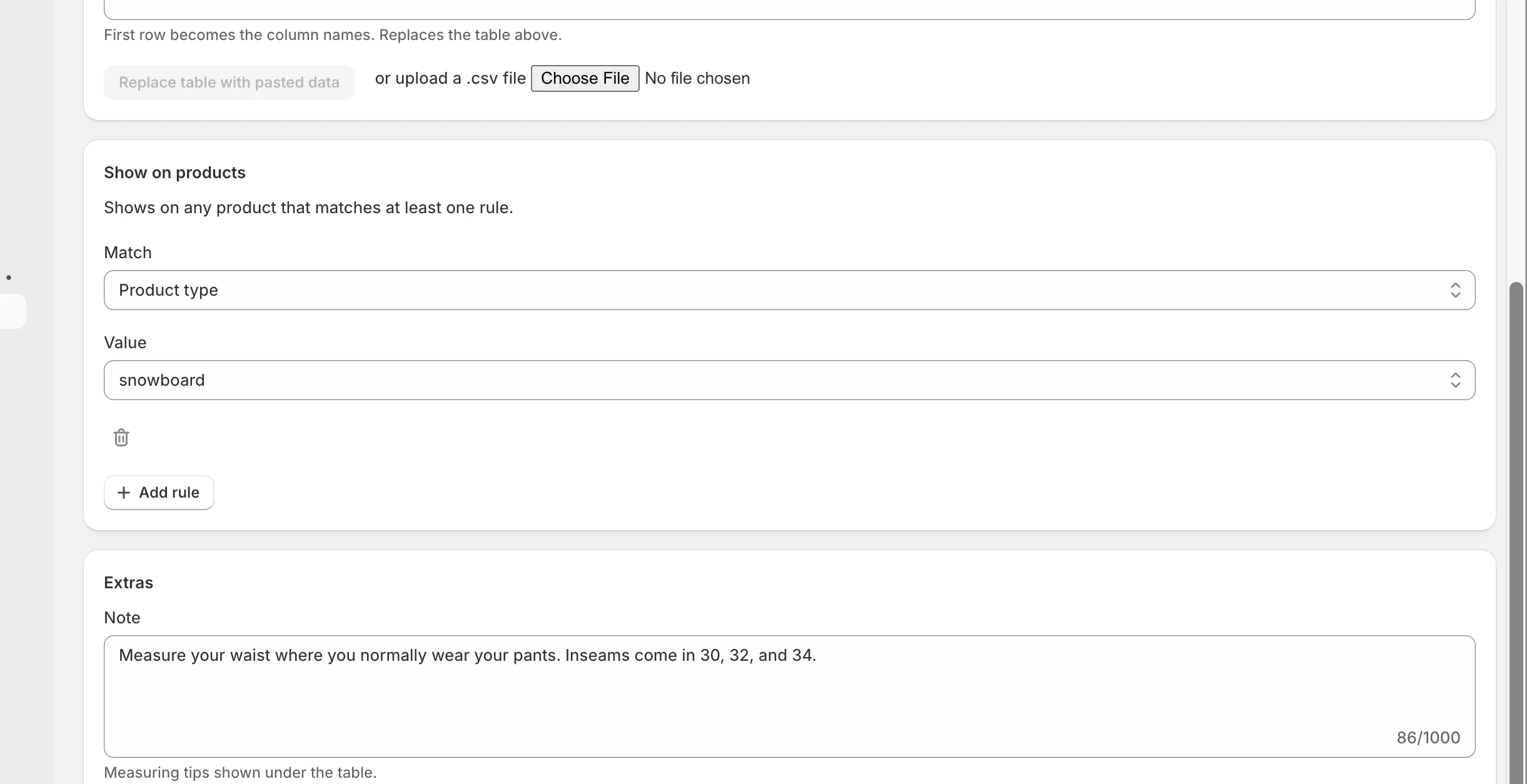
Add a rule
Under Show on products, choose what it matches, then Save.
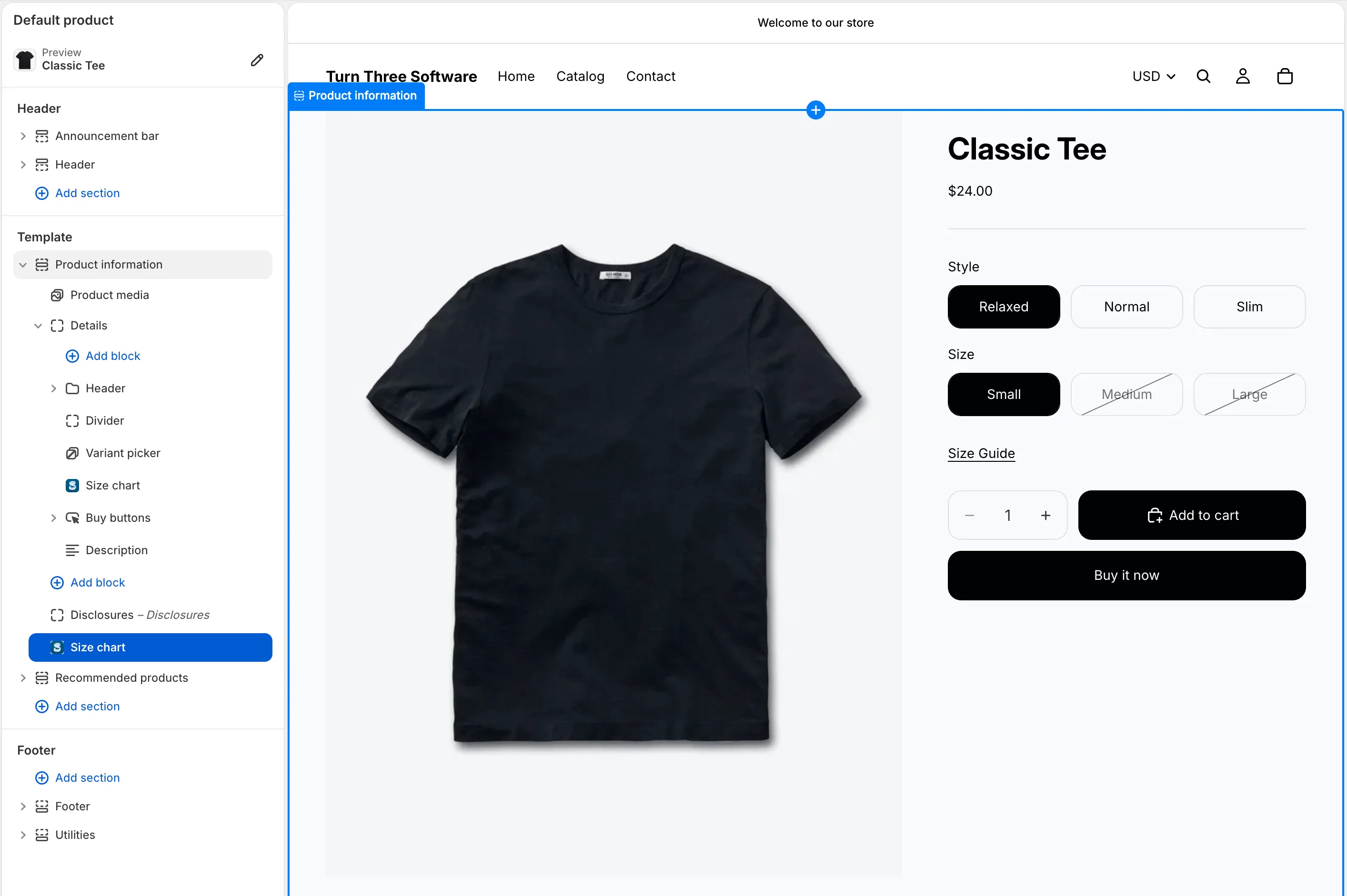
Add the block once
In the theme editor, add the Size chart block to your product page. You only do this once.
Shoppers now see a size-chart link on matching products. Changes can take up to a minute to appear.
Frequently asked questions
How does a chart know which products to appear on?+
You add rules under “Show on products.” A chart appears on any product that matches at least one rule — by product type, vendor, product tag, collection, or variant option value. Matches are exact, including capital letters. A chart with no rules shows nowhere.
What if a product matches more than one chart?+
The chart highest on the Size charts page wins. Use the arrows there to reorder. A rule pinned to a specific product always beats a broader rule like a tag or collection.
Can the chart change when a shopper picks a variant?+
Yes. A variant-option rule (for example a fit like “Relaxed”) swaps the chart automatically when the shopper changes that option on the product page, before they add to cart.
Can I show inches and centimeters?+
Pick inches or centimeters per chart and shoppers can switch between them — every number converts except the first (size-name) column. Choose “No units” for charts that shouldn't convert, like shoe or ring sizes.
Can one chart show US, EU, and JP sizes?+
Yes. Group columns into size systems and shoppers get a switcher, instead of you maintaining separate charts.
How do I get my existing sizes in?+
Copy the cells from Google Sheets or Excel and paste them in, or upload a CSV. The first row becomes your column names. Importing replaces the whole table.
My chart isn't showing — what do I check?+
Confirm the Size chart block is added to your product page in the theme editor; confirm the chart has a rule that matches the product, spelled exactly; make sure a chart higher in the list isn't matching first; then wait a minute after saving and refresh.
What happens to my charts if I uninstall?+
Uninstalling deletes your charts, so download a backup first from the Size charts page. Restoring a backup replaces all current charts and settings.
Still stuck? Head to Support.
Ready to try Snug?
Add it to your store and build your first chart in a couple of minutes.